
SPF flattening: a practical guide for IT teams in 2026


TL;DR:SPF flattening replaces include mechanisms with static IP addresses to stay within DNS lookup limits. Automating this process is essential to maintain accurate records and prevent email delivery failures caused by stale IP data.
SPF flattening is defined as the process of replacing include: mechanisms in an SPF record with static IP address ranges, eliminating the DNS lookups those includes trigger. The Sender Policy Framework standard, codified in RFC 7208, permits a maximum of 10 DNS lookups per SPF evaluation. Organisations using multiple third-party sending services, such as marketing platforms, CRMs, and cloud email gateways, routinely exceed that limit. When they do, receiving mail servers return a PermError, which disables SPF evaluation entirely and increases the risk of legitimate email being rejected. SPF flattening solves this by converting a chain of nested includes into a single, flat list of IP addresses that requires zero lookups to evaluate.
How does SPF flattening work technically?
SPF flattening works by resolving every include: statement in your SPF record down to its underlying IP addresses, then writing those addresses directly into the record as ip4: or ip6: entries.

A standard SPF record might look like this:
v=spf1 include:sendgrid.net include:mailchimp.com include:_spf.google.com ~all
Each include: triggers at least one DNS lookup. Nested includes inside those services trigger further lookups. A record with four or five includes can easily consume 12 or more DNS lookups, breaching the RFC 7208 limit. Flattening reduces lookups from 12 or more down to zero by replacing every include with the resolved IP addresses directly.
The resulting flattened record looks like this:
v=spf1 ip4:192.0.2.0/24 ip4:198.51.100.0/22 ip4:203.0.113.0/24 ~all
The ~all or -all qualifier at the end of the record remains unchanged. The spf all mechanism still governs what happens to mail from unlisted sources. A -all (hard fail) tells receiving servers to reject unauthenticated mail outright. A ~all (soft fail) marks it as suspicious. Your choice of spf record all qualifier matters independently of whether you flatten.
Manual versus automated flattening workflows
Manual flattening requires an administrator to query each include’s DNS records, compile the IP ranges, and update the TXT record by hand. This is feasible once but not sustainable over time. Automated flattening tools update daily, automatically re-resolving all includes and pushing updated IP ranges to your DNS provider.
Key steps in a typical automated workflow:
- Connect your DNS provider’s API to the flattening service
- Define which domains and includes the service should monitor
- Set alert thresholds for IP range changes or record size growth
- Schedule daily or twice-daily re-resolution and record updates
- Test the updated record with an SPF validation tool after each change
Pro Tip: Always keep a copy of your previous SPF record before any update. If a flattening service pushes a bad update, you need a rollback ready within minutes, not hours.
What are the practical benefits and risks of SPF flattening?
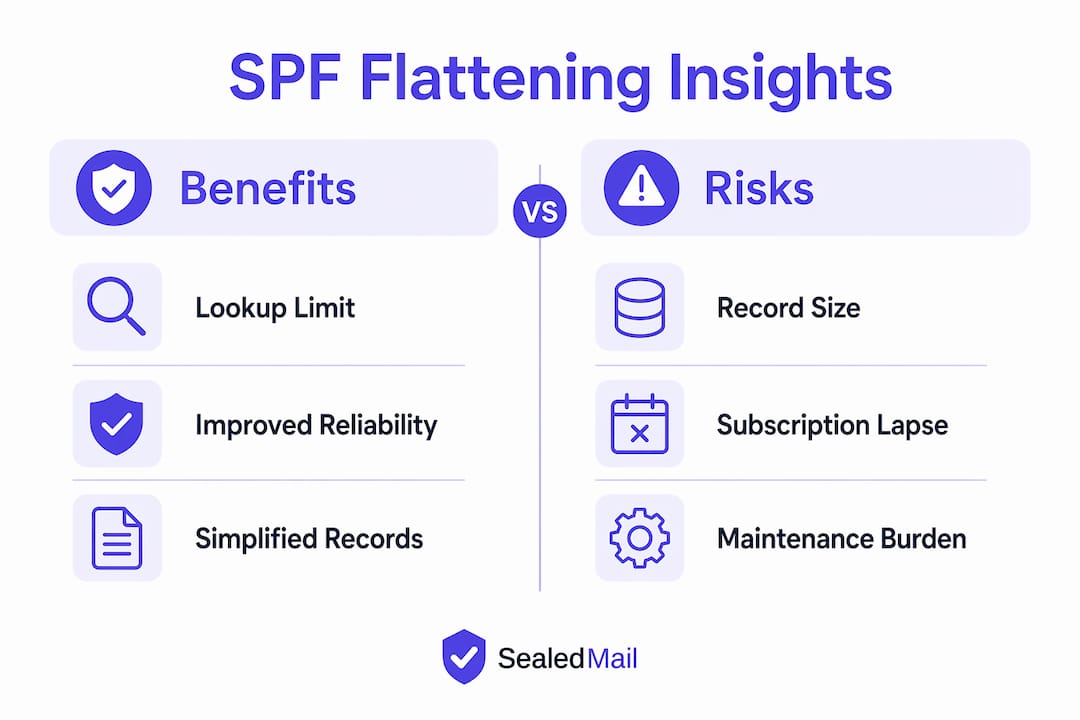
The primary benefit of SPF flattening is staying within the 10-lookup limit without removing legitimate sending services from your record. Organisations with complex email stacks, including transactional email, marketing automation, and helpdesk tools, often have no other way to stay compliant with RFC 7208 without removing a service entirely.
Additional benefits include:
- Faster SPF evaluation, since receiving servers resolve a single flat record rather than chasing a chain of includes
- Elimination of cascading lookup failures, where one slow DNS response delays the entire SPF check
- Cleaner SPF records that are easier to audit during SPF record troubleshooting
- Reduced dependency on third-party DNS infrastructure during SPF evaluation
The risks, however, are significant and often underestimated.
SPF PermError is a hard failure, effectively neutralising SPF if no DKIM backup is present. That is the outcome you are trying to avoid. But a poorly maintained flattened record can produce the same result through a different route: stale IP addresses. Major providers update their IP ranges frequently, sometimes without advance notice. Flattened records can become stale within days or weeks, causing legitimate email to fail SPF silently. Silent failures are the worst kind because your mail may still be delivered in some cases, masking the problem until a stricter receiving server rejects it.
Record size is a separate technical constraint. Long flattened SPF records can exceed DNS TXT limits of 255 characters per string and 512 bytes over UDP, causing truncation. Truncated records produce lookup errors that are genuinely difficult to debug, because the failure is intermittent and depends on the querying resolver’s behaviour.
Finally, if your flattening service subscription lapses, SPF stops updating and legitimate mail begins to fail. This creates a dependency on a paid third-party service for a core piece of your email authentication infrastructure.
When should organisations use SPF flattening versus alternatives?
SPF flattening is not the right first choice for every organisation. The decision depends on your domain architecture, your sending stack, and how much maintenance overhead your team can absorb.
Criteria that favour flattening
Flattening makes sense when your organisation must send from the root domain and cannot use subdomains. Legacy systems, client-facing email addresses, and regulatory requirements sometimes make subdomain delegation impractical. In those cases, flattening is the most direct path to staying within the lookup limit.
When subdomain delegation is preferable
Subdomain delegation is generally more reliable and maintenance-free compared to flattening. It involves creating a separate subdomain, such as mail.yourdomain.co.uk, and assigning specific sending services to it. Each subdomain has its own SPF record with its own 10-lookup budget. Subdomain delegation is free and does not require paid tooling or continuous updates. The trade-off is that some legacy systems cannot send from a subdomain, and some recipients or partners may treat subdomain-sent mail differently.
| Approach | Maintenance burden | Cost | Best suited for |
|---|---|---|---|
| SPF flattening | High, requires automation | £3–10/month for tooling | Root domain sending, complex stacks |
| Subdomain delegation | Low, set and largely forget | Free | Organisations with flexible sending architecture |
| SPF consolidation | Medium, requires audit | Free | Organisations with redundant or unused includes |
The role of DKIM and DMARC
DKIM and DMARC do not replace SPF, but they provide critical cover when SPF fails. DKIM signs the message body and headers cryptographically, so a receiving server can verify authenticity even if SPF returns a PermError. DKIM monitoring is therefore a non-negotiable complement to any SPF flattening strategy. DMARC ties SPF and DKIM together, specifying what to do when either fails, and provides reporting so you can see failures before they become deliverability problems.
Pro Tip: Before flattening, audit your SPF record for redundant or unused includes. Removing a single obsolete include can sometimes bring you back under the 10-lookup limit without any flattening at all.
How to implement and maintain SPF flattening effectively
Effective SPF flattening follows a structured process. Rushing the implementation or skipping the maintenance plan is the most common reason flattening fails.
Implementation steps
- Audit your current SPF record. Use a public SPF lookup tool to count your current DNS lookups. Identify which includes are essential and which are redundant.
- Choose your flattening method. Manual flattening suits small, stable sending stacks. Automated services suit organisations with multiple providers or frequent IP changes. Automated flattening services cost approximately £3–10 per month depending on features.
- Resolve all includes to IP addresses. Query each include’s DNS records and compile the full list of
ip4:andip6:ranges. Verify the list against each provider’s published IP documentation. - Draft the new SPF record. Write the flattened record and check its total character length. Stay well below the 255-character-per-string limit.
- Publish with a low TTL first. Set a TTL of 300 seconds (5 minutes) when you first publish the flattened record. This allows rapid rollback if something goes wrong.
- Validate and test. Send test emails through each of your sending services and verify SPF pass results using an email header analyser.
- Raise the TTL once stable. After 48 hours of clean results, raise the TTL to your standard value.
Ongoing maintenance essentials
Maintenance is where most flattening implementations fail. The following practices keep a flattened record accurate:
- Subscribe to IP change notifications from every major sending provider you use
- Run automated daily re-resolution of all included IP ranges
- Set alerts for any change in the resolved IP list
- Review the full record quarterly, even if no alerts have fired
- Maintain a documented rollback procedure with the previous record stored in version control
SPF record best practices also recommend pairing your flattening maintenance with active DMARC monitoring. DMARC aggregate reports will show you SPF failures in near real time, giving you an early warning when a provider has changed its IP ranges and your flattened record has not yet caught up.
Key takeaways
SPF flattening solves the RFC 7208 10-lookup limit by replacing include mechanisms with static IP addresses, but it requires continuous automated maintenance to remain accurate and effective.
| Point | Details |
|---|---|
| SPF flattening defined | Replaces include: mechanisms with static IPs to eliminate DNS lookups. |
| The 10-lookup limit | RFC 7208 caps SPF DNS lookups at 10; exceeding it causes a PermError hard failure. |
| Stale IPs are the main risk | Provider IP ranges change frequently; unmanaged flattened records break legitimate mail. |
| Automation is non-negotiable | Manual flattening is not sustainable; automated tools update daily for £3–10/month. |
| DKIM and DMARC are essential cover | Always pair SPF flattening with active DKIM signing and DMARC monitoring. |
My honest view on SPF flattening
I have seen SPF flattening described as a quick fix, and that framing worries me. It is not a fix. It is a trade-off. You swap one problem (too many DNS lookups) for a different problem (a record that goes stale the moment a provider changes its IP ranges). The organisations that handle this well treat flattening as a last resort, not a first response.
The first question I always ask is whether subdomain delegation is genuinely off the table. In my experience, it is off the table less often than people assume. Legacy systems get blamed, but often the real barrier is that nobody has tested whether the legacy system can send from a subdomain. It is worth spending an hour finding out before committing to a flattening maintenance programme.
When flattening is the right call, the automation question is not optional. I have seen organisations flatten manually, feel satisfied for a few weeks, and then watch deliverability quietly degrade as providers rotate IPs. The failure is silent until it is not. DMARC aggregate reports are your early warning system here. If you are not reading them, you will not know there is a problem until a client tells you their emails are bouncing.
The broader point is that SPF flattening is one layer in a stack. DKIM and DMARC monitoring sit alongside it, not beneath it. Getting all three working together, and keeping them working, is what actually protects your domain.
— Shaun
How Sealedmail supports SPF, DMARC, and DKIM management
Managing SPF flattening alongside DKIM and DMARC is a continuous process, not a one-time configuration task.
Sealedmail monitors your domain’s full email authentication stack, including SPF, DKIM, and DMARC, and delivers weekly reports in plain English. A single expert personally reviews your DMARC data each week, so you receive specific, contextual insights rather than automated noise. For organisations in law, finance, healthcare, and accountancy, where email fraud carries serious regulatory and reputational consequences, that level of attention matters. Sealedmail costs £39 per domain per month. If you want to know exactly who is sending email on behalf of your domain, DMARC monitoring is where to start.
FAQ
What is SPF flattening?
SPF flattening is the process of replacing include: mechanisms in an SPF record with static ip4: and ip6: entries, eliminating DNS lookups and keeping the record within the RFC 7208 limit of 10 lookups.
Why does the 10 DNS lookup limit matter?
Exceeding 10 DNS lookups during SPF evaluation triggers a PermError, which is a hard failure. This disables SPF authentication entirely, increasing the risk that legitimate email is rejected or treated as unauthenticated.
How often should a flattened SPF record be updated?
A flattened record should be re-resolved at least daily using an automated tool, because major sending providers change their IP ranges frequently and without advance notice.
Is SPF flattening better than subdomain delegation?
Subdomain delegation is generally more reliable and requires far less maintenance than flattening. Flattening is the better choice only when sending from the root domain is mandatory and subdomain delegation is not technically feasible.
What happens if my flattening service subscription lapses?
If the subscription lapses, the flattened record stops updating. Provider IP changes will cause legitimate mail to fail SPF, potentially leading to delivery failures or emails being marked as unauthenticated.
Recommended

Founder of SealedMail and a UK email-security specialist in DMARC, SPF, DKIM and email authentication for regulated sectors. He personally reads the DMARC and TLS reports behind every SealedMail account and writes the company's plain-English guides. More from Shaun Cooke →
