
NCSC email security check: your 2026 migration guide


TL;DR:The NCSC Mail Check service was a free tool that helped UK organizations verify their email authentication setup but was retired in March 2026. Organizations must now actively monitor SPF, DKIM, and DMARC records and update their DNS settings to maintain email security. Ongoing vigilance and staged policy progressions are essential to prevent spoofing and protect domain reputation.
The NCSC email security check, formally known as Mail Check, was a free government service that allowed UK organisations to verify their domain’s email authentication configuration. The NCSC retired Mail Check on 31 march 2026, affecting approximately 17,000 UK organisations that relied on it for DMARC aggregate reporting and configuration checks. That retirement does not mean email security is optional. SPF, DKIM, and DMARC remain the three protocols the NCSC mandates for domain protection, and organisations now need to source monitoring from elsewhere. This guide explains what to do next.
How does the NCSC email security check work with SPF, DKIM, and DMARC?
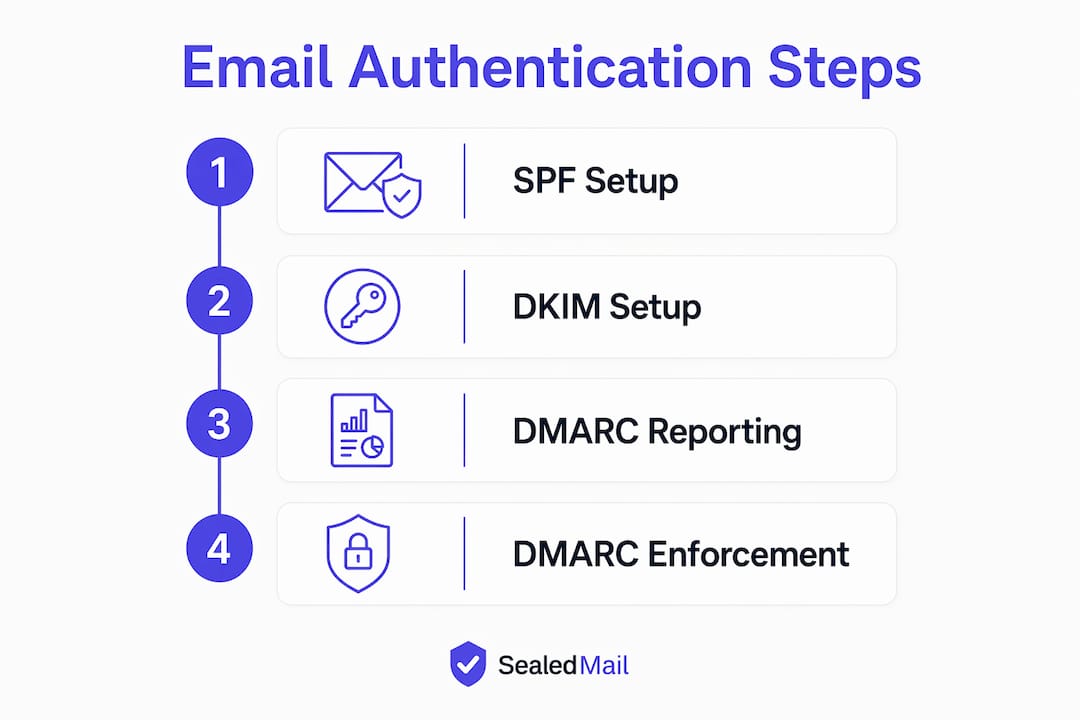
Email authentication is built on three DNS-published protocols that work together to verify whether a message genuinely originates from your domain.
SPF (Sender Policy Framework) lists the mail servers authorised to send email on behalf of your domain. A receiving server checks this list and rejects or flags messages from unlisted sources.
DKIM (DomainKeys Identified Mail) attaches a cryptographic signature to outgoing messages. The receiving server verifies that signature against a public key in your DNS, confirming the message has not been tampered with in transit.
DMARC (Domain-based Message Authentication, Reporting and Conformance) ties SPF and DKIM together with a policy. It tells receiving servers what to do when a message fails authentication: monitor it, quarantine it, or reject it outright. NCSC recommends progressing DMARC policy from p=none through p=quarantine to p=reject for full domain protection.
The three protocols are not interchangeable. SPF alone cannot stop spoofing because it only checks the envelope sender, not the visible “From” address. DKIM alone cannot enforce a policy. DMARC is the enforcement layer that makes the other two meaningful.
Pro Tip: Start with p=none to collect reporting data for at least four weeks before moving to p=quarantine. Skipping this step risks blocking legitimate email from services like marketing platforms or payroll providers.
DMARC enforcement has also become a compliance requirement in many sectors. DMARC enforcement became mandatory in numerous regulatory and insurance contexts from 2024 onward. Law firms, financial services firms, and NHS-linked organisations face the strongest pressure to reach p=reject. Sealedmail provides sector-specific monitoring for law firms and financial services organisations navigating these requirements.
What steps are required to migrate from NCSC Mail Check?
Migrating away from Mail Check is a structured process. Skipping steps creates blind spots that attackers can exploit.
- Audit your current DMARC record. Query your DNS for a TXT record at
_dmarc.yourdomain.com. Note the value of theruatag. If it points to[email protected], that address is no longer active. - Choose a replacement reporting destination. Options include commercial DMARC monitoring platforms, self-hosted reporting servers, or specialist services such as Sealedmail. The critical requirement is that the new address accepts and processes aggregate XML reports.
- Update your
ruatag in DNS. Replace the retired NCSC address with your new reporting address. A correctly formatted tag looks likerua=mailto:[email protected]. Leavingruapointing to the retired service results in lost reporting and complete blind spots on spoofing activity. - Update your
ruftag if present. Theruftag directs forensic failure reports. Apply the same replacement logic as theruatag. - Add TLS-RPT reporting. TLS-RPT (Transport Layer Security Reporting) is a separate DNS record at
_smtp._tls.yourdomain.com. It reports on encryption failures in transit and restores visibility that Mail Check previously provided on TLS configuration. - Review your current DMARC policy level. If you are still at
p=none, use the new reporting data to identify all legitimate sending sources before tightening the policy. - Progress policy in stages. Move to
p=quarantineonce you have confirmed all legitimate senders pass authentication. Move top=rejectonly after quarantine has run cleanly for several weeks.
The table below summarises the key DNS records you need to check and update.
| Record | Location in DNS | Purpose |
|---|---|---|
| SPF | yourdomain.com TXT |
Lists authorised sending servers |
| DKIM | selector._domainkey.yourdomain.com TXT |
Cryptographic signature verification |
| DMARC | _dmarc.yourdomain.com TXT |
Policy enforcement and reporting |
| TLS-RPT | _smtp._tls.yourdomain.com TXT |
Encryption-in-transit reporting |
Pro Tip: DMARC aggregate reports show every server sending on your domain’s behalf. Read them before enforcing any policy. Without this data, you risk rejecting email from your own CRM, accounting software, or HR platform.
A staged transition protects you from self-inflicted disruption. Rushing directly to p=reject without prior monitoring risks blocking legitimate email flows. Four to eight weeks of monitoring at each policy stage is the minimum advisable period.
What ongoing email security best practices should organisations adopt?
Technical controls are necessary but not sufficient. The following practices form the second layer of a complete email security posture.
- Enable multi-factor authentication (MFA) on all email accounts. The NCSC advises MFA and strong password policies as core defences against account compromise. A stolen password alone cannot grant access when MFA is active.
- Use a password manager. Unique, complex passwords for every account are not realistic without one. Password reuse is the most common route to account takeover.
- Cover parked and unused domains. A domain you no longer use for email is still a spoofing risk. Publish a strict SPF record (
v=spf1 -all) and a DMARC record atp=rejecton every domain you own, even inactive ones. - Train staff to recognise phishing. Phishing is the most common cyber threat facing UK organisations. Technical controls stop spoofed email from reaching inboxes, but a convincing phishing message from a legitimate-looking domain still requires a human to spot it.
- Build an incident response plan. Knowing what to do when an account is compromised reduces the damage. The plan should cover who to notify, how to revoke access, and how to communicate with affected parties.
Spam filters are the most misunderstood tool in email security. They filter content. They do not verify identity. A spoofed email that passes SPF, DKIM, and DMARC checks will sail through most spam filters without issue. Spam filters alone cannot prevent email spoofing; authentication protocols are the only mechanism that verifies who is actually sending on your domain’s behalf.
The human factor remains the weakest point in most organisations’ defences. Human factors require thorough training and well-rehearsed incident response plans to complement technical controls. A quarterly phishing simulation is more effective than an annual awareness session.
How do you troubleshoot and verify your email security configuration?
Verifying your configuration is not a one-time task. DNS records can be overwritten, third-party senders can be added without IT’s knowledge, and policy levels can drift.

Validating your DNS records
Query each record directly using a tool such as MXToolbox or Google Admin Toolbox. For SPF, confirm the record exists, contains all legitimate sending sources, and ends with -all (hard fail) rather than ~all (soft fail). For DKIM, confirm the selector your mail server uses matches the public key published in DNS. For DMARC, confirm the policy level, the rua address, and the alignment settings.
Common configuration errors
The most frequent mistakes are:
- Missing DKIM selectors for third-party senders such as marketing platforms
- SPF records that exceed the ten DNS lookup limit, causing validation failures
- DMARC
ruaaddresses still pointing to the retired NCSC Mail Check service - No DMARC record at all on secondary or parked domains
Each of these errors creates a gap that spoofing attacks can exploit. The loss of DMARC reporting visibility is particularly dangerous because you will not know spoofing is occurring until a client or partner reports it.
Interpreting DMARC aggregate reports
Aggregate reports arrive as XML files, typically once per day from each receiving mail provider. They show the sending IP address, the volume of messages, and whether SPF and DKIM passed or failed. A commercial monitoring service translates these into readable summaries. Without one, the raw XML is difficult to act on quickly.
Pro Tip: Set a calendar reminder to review your DMARC policy level every three months. Authentication requirements evolve, third-party senders change, and a p=none policy left in place indefinitely provides no protection at all.
Periodic reviews also catch configuration drift. A new marketing agency, a payroll system migration, or a change of email provider can all introduce new sending sources that break DMARC alignment. Catching these early prevents both deliverability problems and policy enforcement failures.
Key takeaways
The most effective response to the NCSC Mail Check retirement is to update your DMARC rua tag immediately, select a replacement monitoring service, and progress your DMARC policy to p=reject through a staged, evidence-led process.
| Point | Details |
|---|---|
Update rua tag immediately |
Replace the retired NCSC address in your DMARC record to restore aggregate reporting. |
| Use all three protocols | SPF, DKIM, and DMARC must work together; no single protocol provides complete protection. |
| Stage your DMARC policy | Progress from p=none to p=quarantine to p=reject with monitoring periods between each stage. |
| Cover inactive domains | Parked domains need strict SPF and DMARC records to prevent spoofing from unused addresses. |
| Combine technical and human controls | MFA, staff training, and incident response plans are as critical as DNS configuration. |
The retirement that most organisations were not ready for
I have worked with dozens of UK organisations since the Mail Check retirement, and the pattern is consistent. The IT team knew Mail Check was going. The decision to find a replacement was deferred. By the time someone checked, the rua tag was still pointing at the retired NCSC address, and months of aggregate report data had simply vanished.
The uncomfortable truth is that most organisations were using Mail Check as a passive reassurance rather than an active monitoring tool. They checked it occasionally, saw a green status, and moved on. That behaviour does not transfer well to a world where you have to actively configure and read your own reports.
What I have found actually works is treating DMARC monitoring the same way you treat bank statement reconciliation. You do it regularly, you look for anomalies, and you act on what you find. A p=none policy with no one reading the reports is security theatre. A p=reject policy with weekly report reviews is genuine protection.
The other thing I would push back on is the assumption that reaching p=reject is the finish line. It is not. New sending services get added, DNS records get misconfigured, and threat actors adapt. The organisations that stay secure are the ones that treat email authentication as an ongoing process, not a one-time project.
How Sealedmail replaces NCSC Mail Check for ongoing monitoring
Sealedmail was built specifically for organisations that need clear, continuous visibility into their email authentication without the complexity of managing raw XML reports.
Sealedmail monitors your DMARC, SPF, and DKIM records continuously and delivers weekly reports in plain English. A single expert personally reviews your data and flags anything that needs attention. There is no dashboard to learn and no jargon to decode. For organisations in law, finance, healthcare, and the charity sector, Sealedmail also maps your configuration against relevant compliance frameworks. The service costs £39 per domain per month. Run a free domain health check to see your current SPF, DKIM, DMARC, and blacklist status before you commit.
FAQ
What was the NCSC Mail Check service?
Mail Check was a free NCSC service that checked domain email authentication configuration and provided DMARC aggregate reporting. It was retired on 31 march 2026, ending free reporting for approximately 17,000 UK organisations.
What happens if I leave my DMARC rua pointing at the old NCSC address?
Aggregate reports sent to the retired address are lost. You lose all visibility into who is sending email on your domain’s behalf, which means spoofing activity goes undetected.
Do I need all three of SPF, DKIM, and DMARC?
Yes. SPF and DKIM each address different aspects of authentication, and DMARC is the enforcement layer that ties them together. Implementing only one or two leaves significant gaps in your domain’s protection.
Is a p=none DMARC policy sufficient for compliance?
No. A p=none policy collects data but takes no action against spoofed messages. The NCSC and most regulatory frameworks require progression to p=reject for meaningful protection.
How often should I review my email security configuration?
Review your DMARC aggregate reports at least monthly and audit your full DNS configuration every three months. Any change to your email infrastructure, such as a new marketing platform or a change of provider, requires an immediate review.
Recommended

Founder of SealedMail and a UK email-security specialist in DMARC, SPF, DKIM and email authentication for regulated sectors. He personally reads the DMARC and TLS reports behind every SealedMail account and writes the company's plain-English guides. More from Shaun Cooke →
