
Why is DMARC failing on your domain?

DMARC fails when the authentication checks on SPF and DKIM do not pass, or when those checks pass but the authenticated domain does not align with the visible “From” address in the email header. The result is that receiving mail servers treat your message as suspicious, routing it to spam or rejecting it outright. Until you move beyond a DMARC policy of ‘none’, failures are logged but do not affect delivery. Once you enforce ‘quarantine’ or ‘reject’, those same failures start blocking legitimate mail.
Key signals that DMARC is failing on your domain:
- SPF fail: the sending IP is not listed in your SPF record, or the record is missing entirely
- DKIM fail: outbound messages are unsigned, the key is expired, or the signing domain does not match the ‘From’ header
- Alignment fail: SPF or DKIM passes technically, but the authenticated domain does not match the header ‘From’ domain
- DNS authentication: DMARC fail in the
Authentication-Resultsheader of a received message - Sudden quarantine or rejection of legitimate mail after a policy change
- Spoofed mail passing through because no enforcement policy is in place
The NCSC recommends starting with a monitoring policy of ‘none’ before enforcing anything, precisely so you can identify all these failure modes without disrupting live mail flows.
What causes DMARC to fail on UK domains?
Most DMARC failures trace back to a handful of recurring configuration problems. Working through them systematically is far more effective than guessing.
- Missing or misconfigured SPF record. If your SPF record does not list every IP address or service authorised to send on your domain’s behalf, SPF will fail for mail sent from those sources. A common version of this: a new cloud platform is onboarded and nobody updates the DNS record.
- DKIM not configured or keys expired. DKIM failures occur when outbound mail is not signed at all, when the public key in DNS has expired, or when the signing domain differs from the header ‘From’ domain. SPF passing alone is not enough if DKIM is broken.
- Strict alignment rejecting subdomain mail. Strict SPF or DKIM alignment requires an exact domain match. If your policy uses
aspf=soradkim=sand your mail platform sends frommail.example.co.ukwhile the ‘From’ header showsexample.co.uk, that is a DMARC rejection waiting to happen. - Third-party senders not authorised. CRM platforms, marketing tools, and ticketing systems frequently cause DMARC failures when they send on your domain’s behalf without being added to your SPF record or configured to DKIM-sign using your domain. Co-ordinating setup with each provider is not optional.
- Email forwarding and mailing lists breaking SPF. When a message is forwarded, the forwarding server’s IP replaces the original sending IP. SPF breaks at that point because the new IP is not in your record. DKIM survives forwarding if the message body is not modified, which is why DKIM is the more resilient of the two mechanisms.
- DNS propagation delays. After updating SPF or DKIM records, recipients may still query cached versions for hours or longer. Failures during this window are temporary but can look alarming in reports.
- Domain spoofing attempts. Aggregate reports will show sending sources you do not recognise. These are often spoofing attempts, and they are exactly what DMARC enforcement is designed to block.
SPF is fragile by design. Any intermediary that touches a message in transit can break SPF alignment. A well-configured DMARC setup treats DKIM as the primary authentication mechanism and SPF as a secondary layer, not the other way round.
How do you check and verify a DMARC failure?
The fastest way to confirm a DMARC failure is to inspect the raw headers of a bounced or quarantined message. Look for the Authentication-Results field, which will show entries like dmarc=fail, spf=fail, or dkim=fail alongside the reason.

Beyond individual messages, DMARC aggregate reports (RUA) give you the full picture. The NCSC recommends analysing these reports regularly to distinguish legitimate senders from spoofed ones and to base corrective action on real data rather than guesswork. Forensic reports (RUF) provide per-message detail but are less widely supported by receiving servers.
Verification steps and key reporting metrics:
- Check
Authentication-Resultsheaders in the raw source of a failed message - Review RUA aggregate reports for SPF and DKIM pass/fail rates per sending IP
- Identify unrecognised IP addresses and investigate whether they belong to a legitimate service
- Use the NCSC’s free email security check to scan your domain’s SPF, DKIM, and DMARC configuration
- Cross-reference sending IPs against your known third-party services
| Report type | What it shows | Frequency |
|---|---|---|
| Aggregate (RUA) | Pass/fail counts per sending IP and policy outcome | Daily |
| Forensic (RUF) | Individual message headers for failed mail | Per failure |
| NCSC Mail Check | Domain-level SPF, DKIM, DMARC health summary | On demand |
Pro Tip: Set your RUA address to a dedicated mailbox or a DMARC processing tool from day one. Raw XML aggregate reports are unreadable without a parser, and missing the first two weeks of data makes diagnosis significantly harder.
How do you fix DMARC failures step by step?
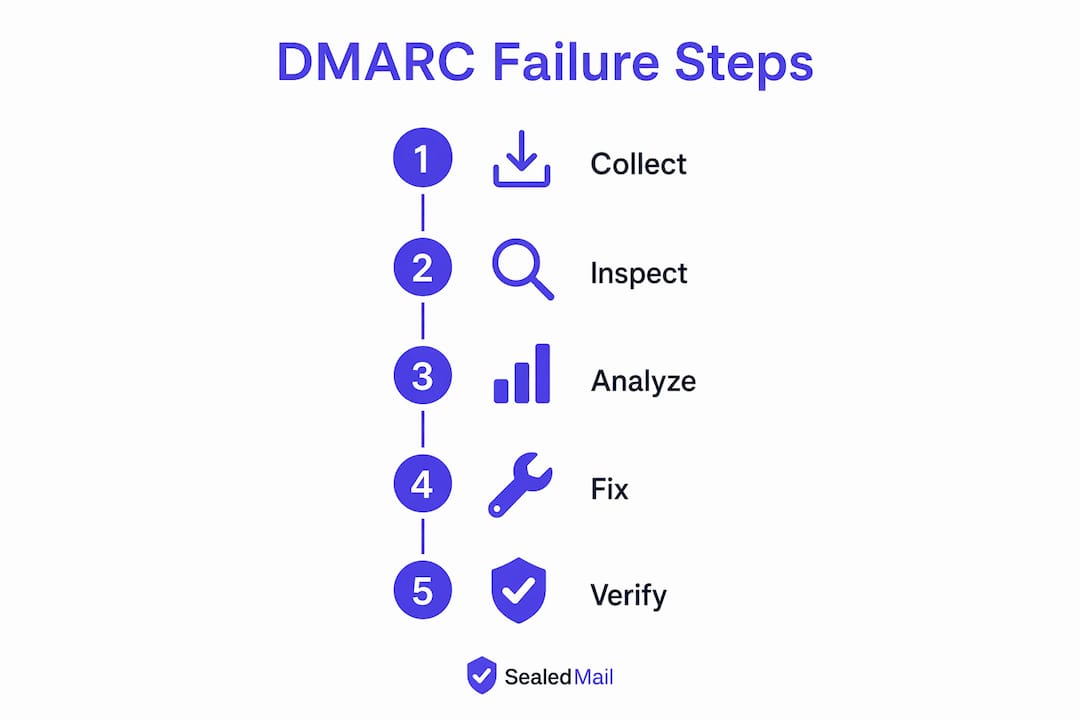
Fixing a DMARC failure is a phased process. Rushing straight to a ‘reject’ policy without resolving underlying SPF and DKIM issues will block legitimate mail.
- Publish a ‘none’ policy first. If you have not already, start with
p=noneand an RUA address. This collects data without affecting delivery. - Audit every sending source. Review your aggregate reports for at least two weeks. List every IP and service sending mail from your domain, including third-party tools.
- Fix SPF. Add all legitimate sending IPs and services to your SPF record. Keep the record under the 10-lookup limit. For multi-client email environments, co-ordinate with each platform to confirm their sending IPs.
- Fix DKIM. Confirm that every sending service signs outbound mail with a valid DKIM key published in your DNS. Check expiry dates and rotate keys on a schedule.
- Resolve alignment issues. If you use strict alignment, verify that the signing domain in DKIM and the envelope domain in SPF exactly match the header ‘From’. Switch to relaxed alignment (
aspf=r,adkim=r) if subdomains are causing failures. - Move to ‘quarantine’ with a low
pctvalue. Once SPF and DKIM are passing for all known senders, update top=quarantineatpct=10orpct=25. Monitor reports for four weeks before increasing the percentage. - Advance to ‘reject’. When you are confident that legitimate mail passes consistently, move to
p=reject. The NCSC notes that many organisations reach this point after roughly three months in ‘quarantine’. Use thepcttag to roll out incrementally and revert to ‘quarantine’ if problems appear.
Pro Tip: Never add a new sending IP to SPF without also confirming that service is DKIM-signing correctly. Fixing only one side of the authentication pair leaves you exposed to the other failure mode.
Which DMARC tools and services suit UK organisations?

Two providers stand out for UK domain administrators needing more than a self-service DNS check.
| Provider | Services offered | Specialisations | Certifications and recognitions | Positioning | Support and management |
|---|---|---|---|---|---|
| EmailAuth | DMARC, SPF, DKIM, BIMI setup, phishing prevention | Enterprise phishing protection, brand protection, on-premise and SaaS deployment | Industry-recognised email authentication services | Enterprises requiring full authentication and brand protection | Managed setup and ongoing support |
| EasyDMARC, Inc. | DMARC management, automated risk assessment, reputation monitoring | DMARC-focused platform, deliverability improvement, domain and IP reputation | G2 Crowd and SourceForge award recipient | Businesses of all sizes seeking accessible DMARC management | Automated monitoring with guided management |
EmailAuth suits organisations that need enterprise-grade phishing prevention alongside BIMI configuration, particularly where on-premise deployment is a requirement. Its service covers the full authentication stack rather than DMARC in isolation.
EasyDMARC, Inc. takes a platform-first approach, with automated risk assessment and reputation monitoring for both domains and IPs. Its recognition from G2 Crowd and SourceForge reflects a broad user base across business sizes.
Sealedmail: a different approach to DMARC monitoring
If you would rather not manage dashboards, interpret XML reports, or co-ordinate a phased enforcement rollout yourself, Sealedmail offers a different route to the same goal.
Sealedmail provides weekly DMARC monitoring reports written in plain English, reviewed personally by a single expert rather than generated automatically. Sealedmail provides a clear summary of who is sending mail from your domain, what is failing, and what to do about it, without needing to log into a platform or parse aggregate XML, for a monthly fee per domain. The service covers DMARC, SPF, DKIM, TLS-RPT, MTA-STS, blacklist status, and BIMI health in one weekly report. It is particularly well suited to professional services firms in sectors such as law, financial services, healthcare, and accountancy, where email fraud risk is high and internal IT resource is limited. A free domain health check is available with no commitment required.
FAQ
What does a DMARC failure mean?
A DMARC failure means that an email sent from your domain did not pass SPF or DKIM authentication, or that the authenticated domain did not align with the visible ‘From’ address. Depending on your policy, the receiving server will quarantine or reject the message.
How do you fix a DMARC fail error?
Start with a p=none policy to collect aggregate reports, then fix SPF and DKIM for all sending sources before moving to ‘quarantine’ and eventually ‘reject’ using the pct tag to roll out gradually.
Is DMARC mandatory now?
DMARC is not a legal requirement in the UK, but the NCSC and GOV.UK guidance strongly recommend it for all domains, and major email providers including Google and Microsoft now apply stricter filtering to domains without a DMARC policy.
How do you fix DMARC issues in Gmail?
Gmail reports DMARC failures in the Authentication-Results header of the raw message source. Check whether SPF and DKIM are both passing and aligned with your ‘From’ domain, then update your DNS records accordingly and monitor your RUA aggregate reports for confirmation.
Key takeaways
Fixing DMARC failures requires resolving SPF and DKIM authentication for every sending source, then enforcing policy gradually using the pct tag to avoid disrupting legitimate mail.
| Point | Details |
|---|---|
| Start with ‘none’ policy | Publish p=none with an RUA address to collect data before enforcing anything. |
| Fix SPF and DKIM together | Both mechanisms must pass and align; fixing only one leaves the other failure mode open. |
Use pct for safe rollout |
Increment enforcement from ‘quarantine’ to ‘reject’ in stages to catch unexpected failures. |
| Check with NCSC tools | The NCSC’s free email security check scans your domain’s SPF, DKIM, and DMARC configuration. |
| Sealedmail for plain-English monitoring | Sealedmail delivers expert-reviewed weekly reports for a monthly fee per domain, covering the full authentication stack. |

Founder of SealedMail and a UK email-security specialist in DMARC, SPF, DKIM and email authentication for regulated sectors. He personally reads the DMARC and TLS reports behind every SealedMail account and writes the company's plain-English guides. More from Shaun Cooke →
